After hunting for a while for a good offline RSS reader I decided on Miniflux. It is designed to be hosted on a home server or something, but it functions just fine as a standalone desktop application. The use of the browser to access content is one of my favourite things about it, as it means all my qutebrowser keyboard combinations will work.
There's just one thing that it's missing: it's not portable. It uses PostgresSQL for the database; no option for SQLite or any other kind of portable format. Let's fix that!
Overview
- Only launch Miniflux when needed, like an application (rather than a background service)
- Dump the database to a file when Miniflux is closed
- Load the data in from the dump just before relaunching Miniflux
- Your dump file is how your data is portable
Disclaimer
I don't know much about Postgres, I haven't used it much. And I'm relatively amateur at shell scripting, so there may be better ways to achieve this.
Also this guide is only for Linux. I assume you'd be able to achieve the same thing on Windows or Mac by modifying the commands, but I have no interest in either of those platforms myself.
Prerequisites
- A Linux machine
- PostgresSQL installed
- Miniflux installed
- Be comfortable using the command line
Steps
1: Initial PostgresSQL and Miniflux setup
Miniflux has some official installation
instructions, but there's some oddities
around the user and database names they tell you to use. The default Postgres connection
string used is
user=postgres password=postgres dbname=miniflux2 sslmode=disable,
yet the instructions tell you to create a user and database both with names 'miniflux',
and then don't tell you how to configure the database connection string to these values.
Anyway, I prefer to configure with the defaults so I have one fewer configuration file to worry about.
# Switch to the postgres user
$ su - postgres

# Initialise your database (if you haven't done so already)
$ initdb -D /var/lib/postgres/data

# Create your miniflux database
$ createdb miniflux2

# Exit the postgres user
$ exit

# Run required miniflux migrations
$ miniflux -migrate
-> Current schema version: 0
-> Latest schema version: 44
* Migrating to version: 1
* Migrating to version: 2
...
* Migrating to version: 43
* Migrating to version: 44

# Create the miniflux admin user
$ miniflux -create-admin
Enter Username: admin
Enter Password:
You may need to create the /var/lib/postgres/data directory and change it's ownership
if you're having problems. This may need to be done as root.
$ mkdir /var/lib/postgres/data
$ chown postgres:postgres /var/lib/postgres/data
Once you've done these steps you should be able to launch Miniflux, visit it in a browser, and interact with it normally. Refer to the Miniflux documentation for a user guide.
If it's not working properly yet, troubleshoot your issues at this stage before moving on. Shut down Miniflux when you're done testing.
$ miniflux

[INFO] Starting Miniflux...
[INFO] Starting scheduler...
[INFO] Listening on "127.0.0.1:8080" without TLS
2: Dump the database
Postgres provides the pg_dump command which will dump the contents of the database as
the SQL queries that would be needed to recreate it.
This command includes the --clean option which will remove the data that has been
dumped, so that it doesn't conflict when it's imported again. This also means the data
is only ever in one place, the database or the file.
This will be the portable file, so choose where you want it to go. I would suggest putting it in a git repository.
Dump the contents to your chosen destination. We need to pass the -U option to tell
Postgres which user we're executing this as.
pg_dump -U postgres miniflux2 > /path/to/dump.sql
Double check the file, it should have a bunch of SQL queries in it.
3: Create a script
Now we're going to create a script that will import the dump file before launching Miniflux, and dump it again when we're done. When we want to launch Miniflux we need to import the dump file, launch Miniflux, and launch the browser. When we're done browsing/reading our feeds, we want to shut them down and dump the database again.
Create a miniflux.sh script which will be used for launching Miniflux.
Pay special attention to the browser command in the middle. This is the process that the script will wait for before shutting down Miniflux and dumping the data. You ideally want this to be a standalone process, i.e. not a command that just opens a new tab in an existing browser instance, else Miniflux won't shut down until all your tabs are closed. I am using qutebrowser and am achieving this by launching it with a different profile directory just for Miniflux. Other browsers should have a similar alternative, you'll have to look it up for your browser.
#!/bin/sh

# Exit immediately if there's any errors
set -e

db_name=miniflux2

dump_loc=/path/to/dump.sql

echo "Importing dump"
/usr/bin/psql -U postgres $db_name < $dump_loc

echo "Launching miniflux"
/usr/bin/miniflux &
miniflux_pid=$!

echo "Launching browser"
/usr/bin/qutebrowser 127.0.0.1:8080/unread --target window --basedir ~/.local/share/qutebrowser/miniflux

echo "Killing miniflux"
kill -INT $miniflux_pid
wait $miniflux_pid

echo "Dumping database"
/usr/bin/pg_dump -U postgres --clean $db_name > $dump_loc
Testing it
Lets test it.
$ ./miniflux.sh
Importing dump
SET
SET
...
Launching miniflux
Launching browser
[INFO] The default value for DATABASE_URL is used
[INFO] Starting Miniflux...
[INFO] Starting scheduler...
[INFO] Listening on "127.0.0.1:8080" without TLS
At this point your new browser instance should launch. You can log in and interact with Miniflux.
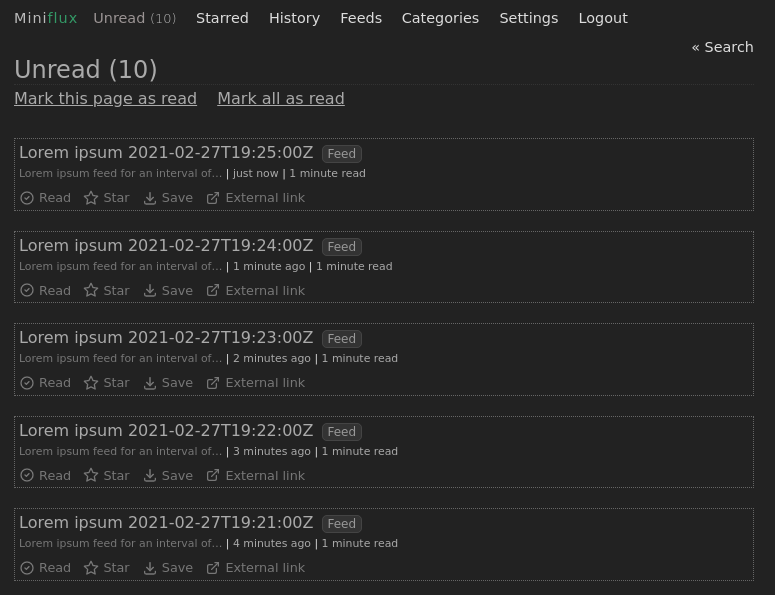
When you're done, close your browser instance. You should see Miniflux and your data dumped back into the file.
Killing miniflux
[INFO] Shutting down the process...
[INFO] Process gracefully stopped
Dumping database
At this point you can do whatever you want with the file. Transport it between machines, back it up. As long as you use the script to import before launching Miniflux and dump again when you're done, you should be good.
Personally, I keep the file in the git repo. I have added a couple of extra commands at the end to commit it to git and push to the remotes after everything else is done.
Limitations
- Feeds don't automatically refresh
Because Miniflux is never open in the background, it can't refresh feeds automatically. You need to manually refresh the feeds each time you launch. There's probably a way around this, but I haven't found it enough of a problem to try figure it out yet.
Conclusion
Now that I can port the data about easily, Miniflux has all the features I want from my RSS application, with no need to set up an extra server.